
Here are the new features included in this release:
More in Classic Search
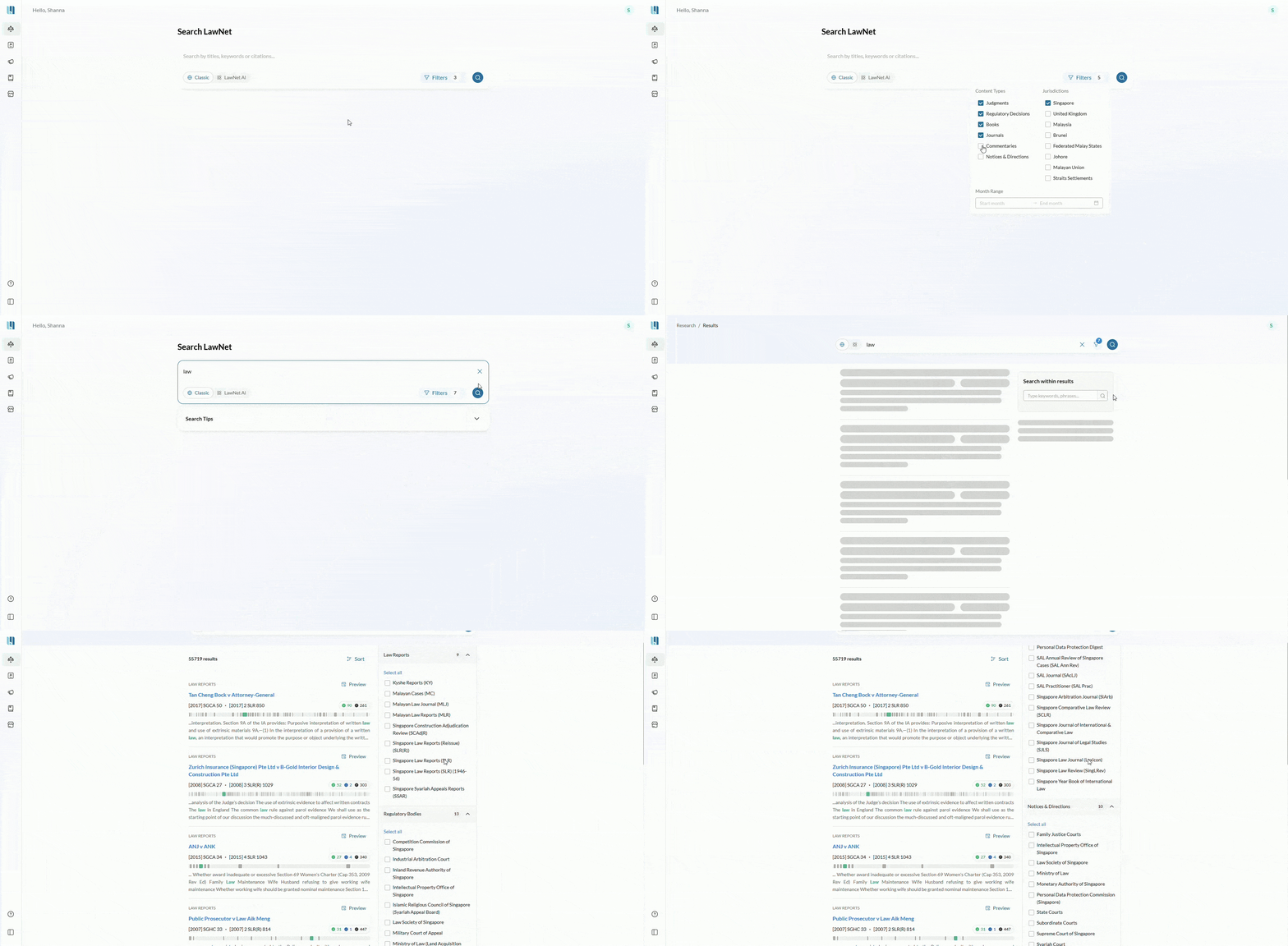
Expand Classic Search beyond cases
Classic Search now includes secondary materials such as journals, notices and directions, and commentaries, which were previously accessible only on the old LawNet platform.
Simply add these content types in the search bar filters when using the Classic Search.
All content continues to be drawn from the same trusted repository as lawnet.sg.
Books, now within LawNet
You can now search for and access books directly within Legal Research.
- Full access: If you own the book or have an Academy Library subscription, you can access the complete text.
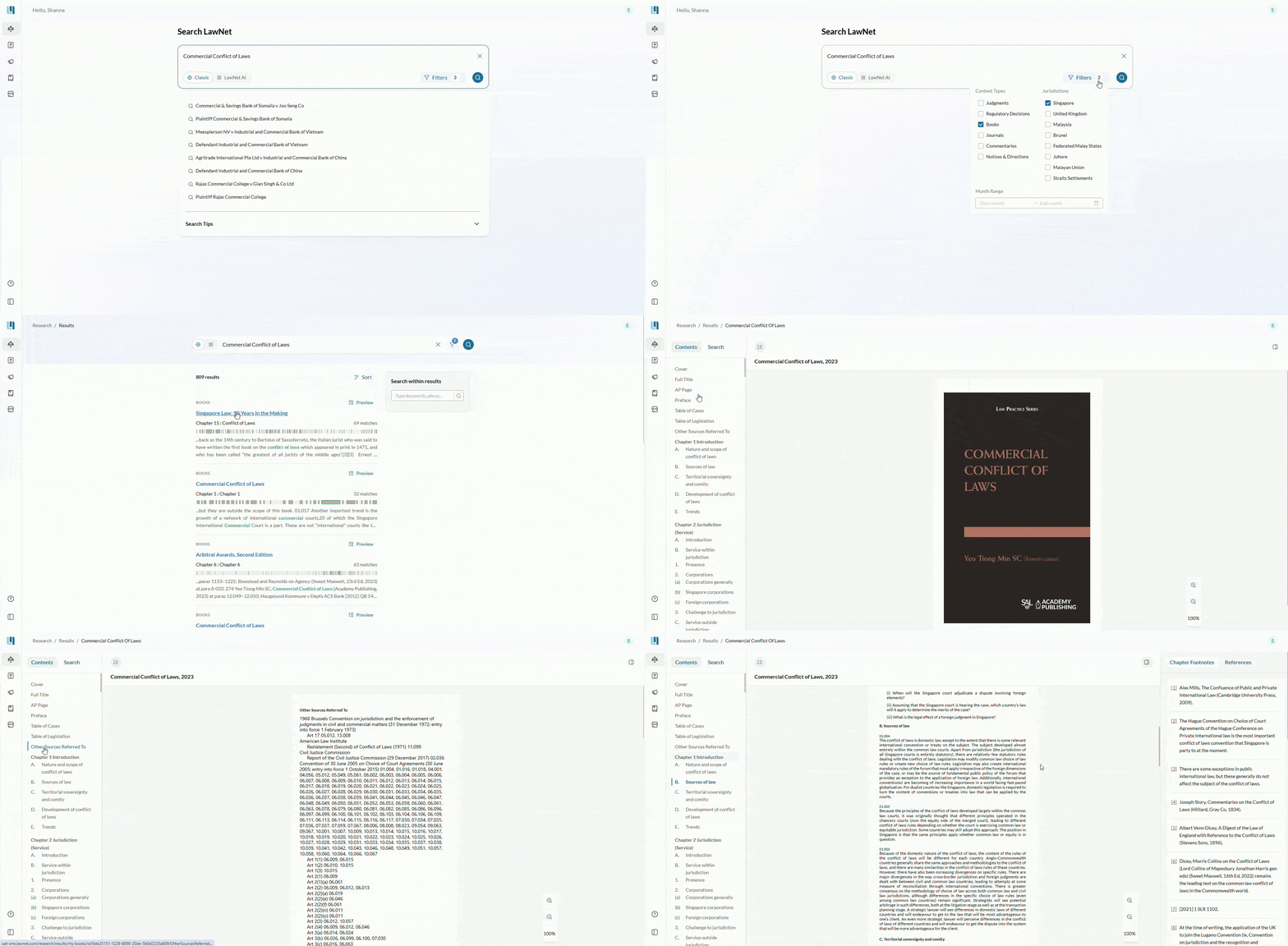
- Limited preview: If you do not have access, you can still view all relevant search hits within the book to assess its relevance before purchase.
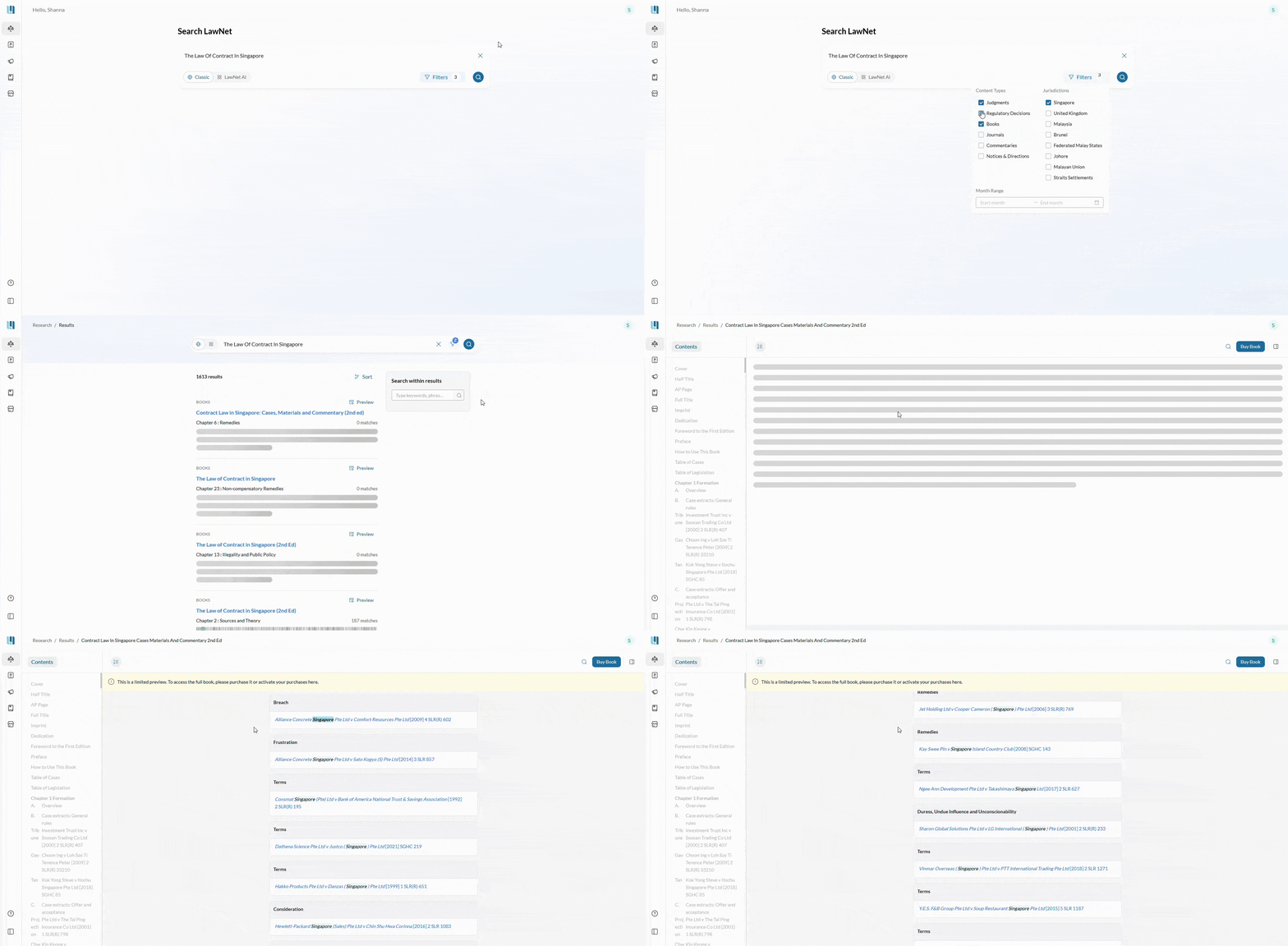
Book References in Companies Act 1967
You can now browse books that reference the Companies Act 1967. To view this, open the Companies Act 1967 on the Legislation page and select the Books tab in the right-hand panel.
Access to India Supreme Court Cases
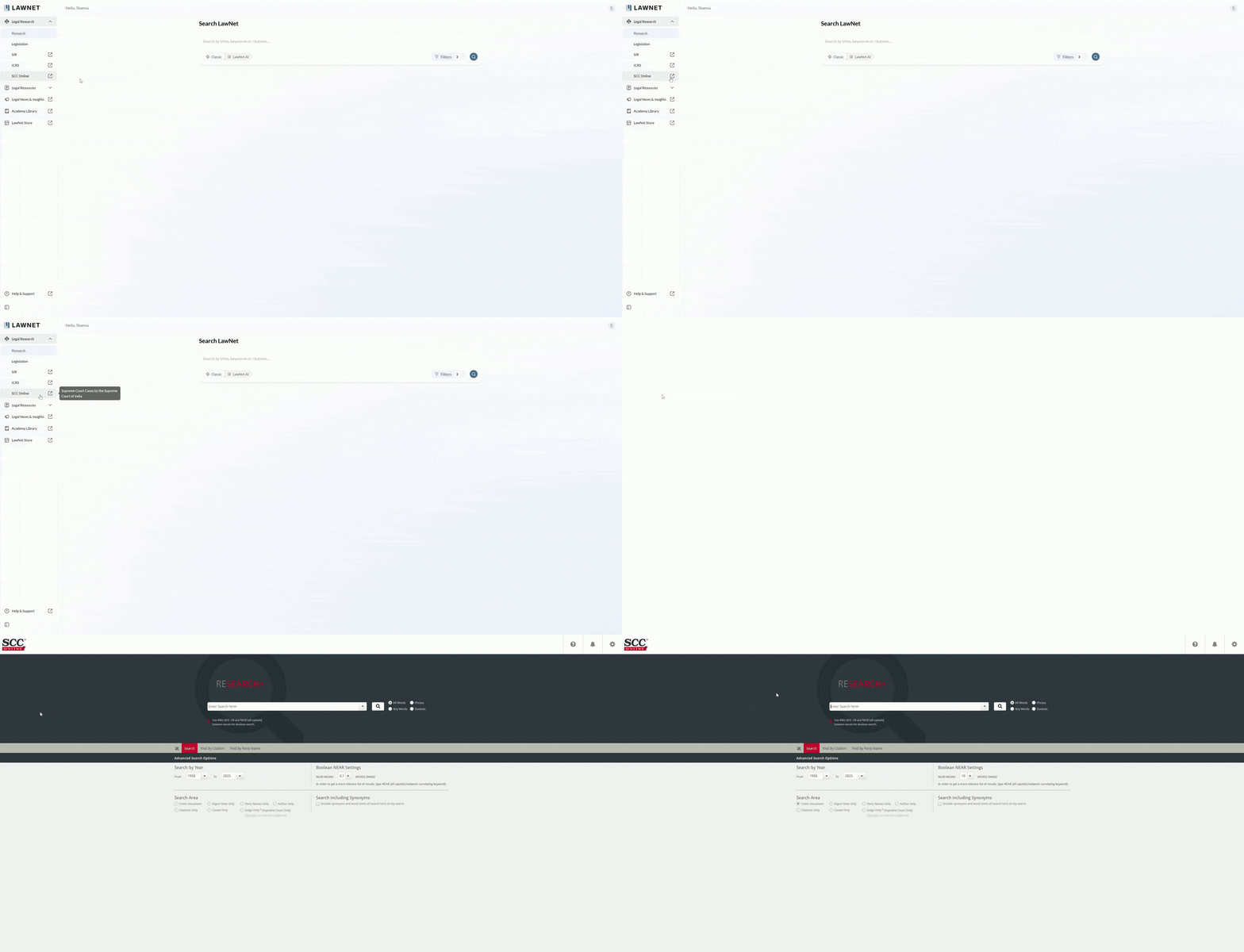
You can now access India Supreme Court Cases directly from LawNet through the navigation menu. Clicking the menu option will automatically sign you in and bring you to the SCC Online search page.
Access to SCC Online is included in the basic legal research subscription.
New AI features
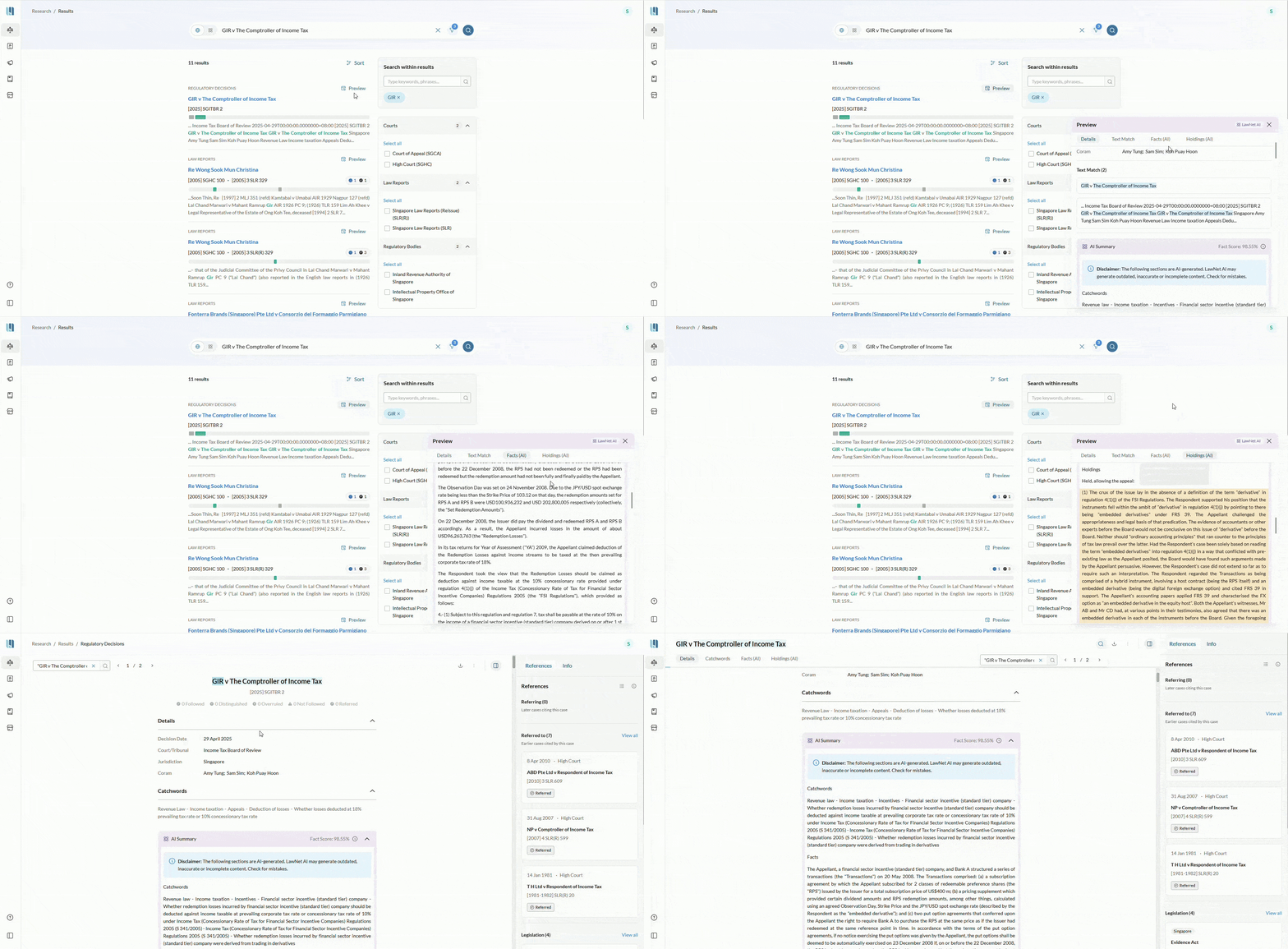
AI summaries for Tribunal Decisions
AI-generated summaries are now available for tribunal decisions, allowing you to quickly assess whether a decision may be relevant to your case.
Keep a lookout for trust and safety features to know when to exercise more caution:
- Low confidence paragraphs are highlighted in yellow.
- Terms that do not appear in the source document are highlighted in red.
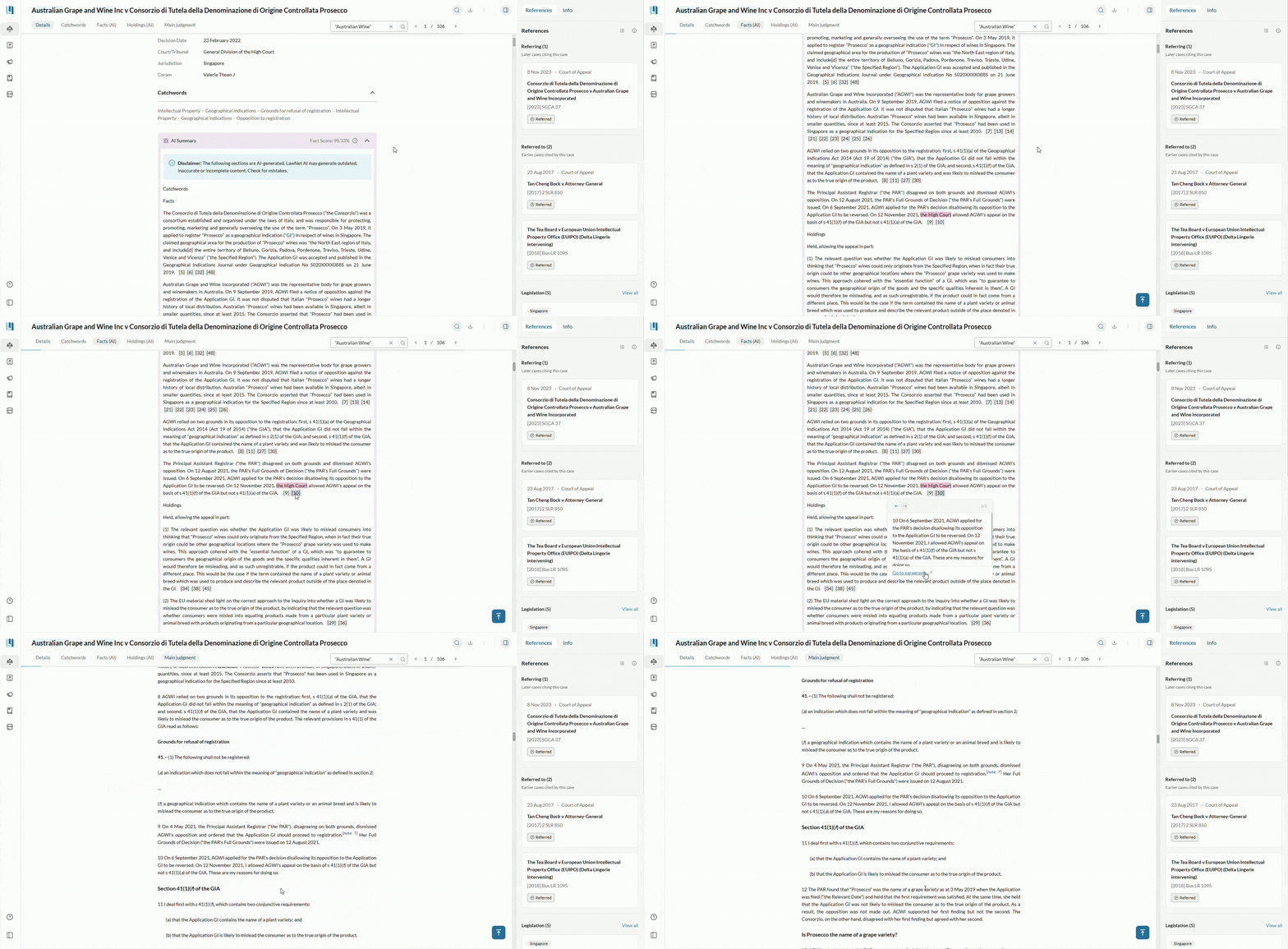
- Paragraph footnotes allow you to cross-reference summary paragraphs with relevant and similar source document paragraphs.
Note: AI summaries are not applicable for decisions from the Industrial Arbitration Court, or for decisions shorter than three pages (based on 500 words per page).
Select the paragraph footnote at the end of an AI summary paragraph to quickly view similar paragraph(s) from the original source document. Click “Go to paragraph” to get more context. This feature is available for AI summaries in Judgments as well.
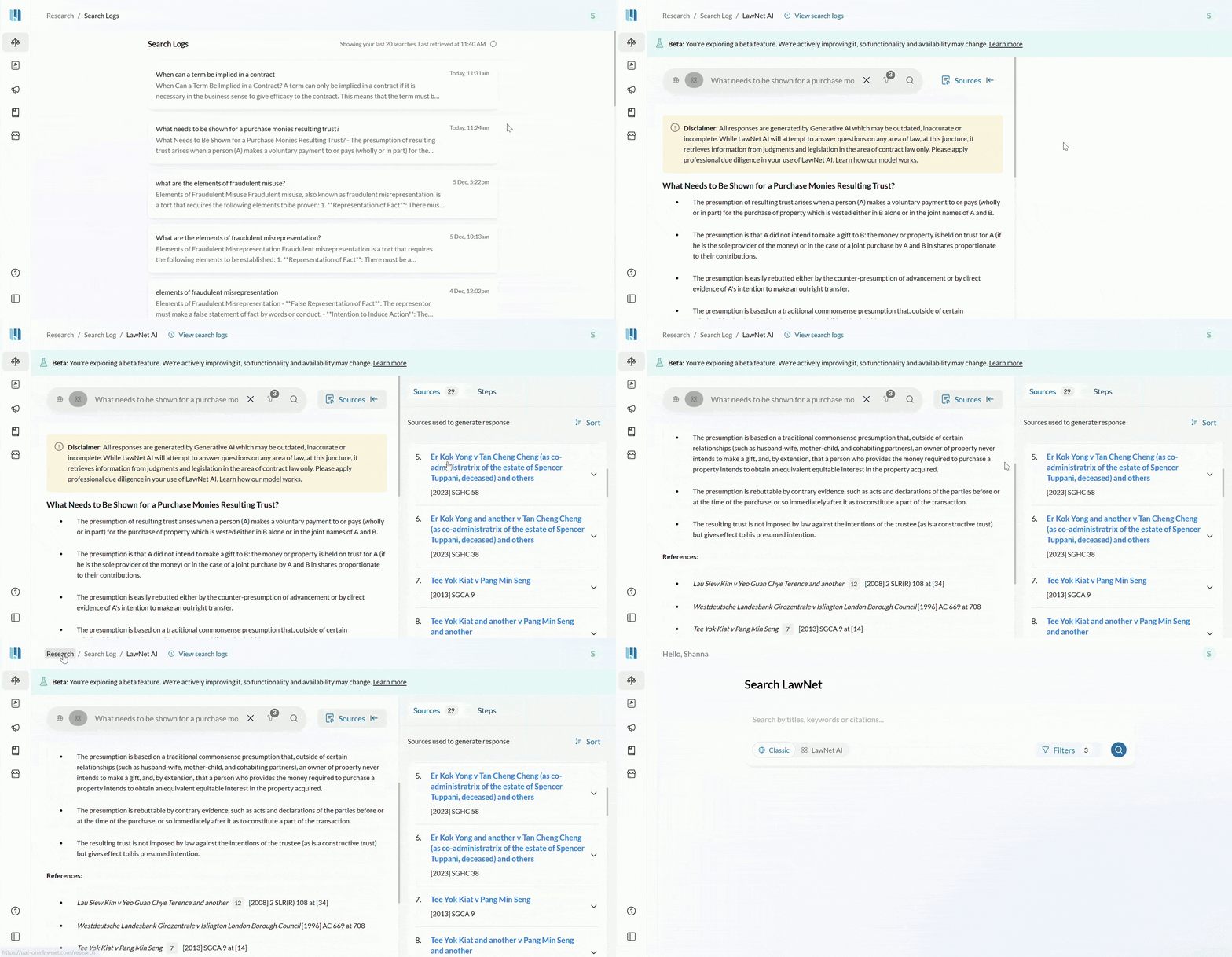
See what you searched for in LawNet AI Search
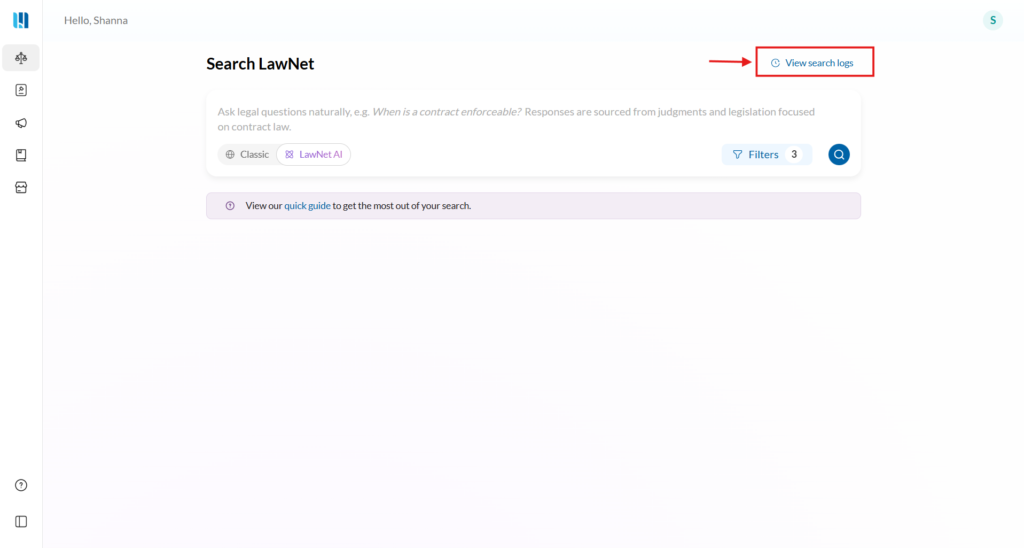
You can now view your past 20 LawNet AI searches and responses by clicking View Search Logs.
Because LawNet AI may produce different responses to similar queries, Search Logs allow you to see exactly what was asked, what response was generated, and which sources were used at that point in time. You can return to Search at any time to perform a new query.
Stay in context while you read
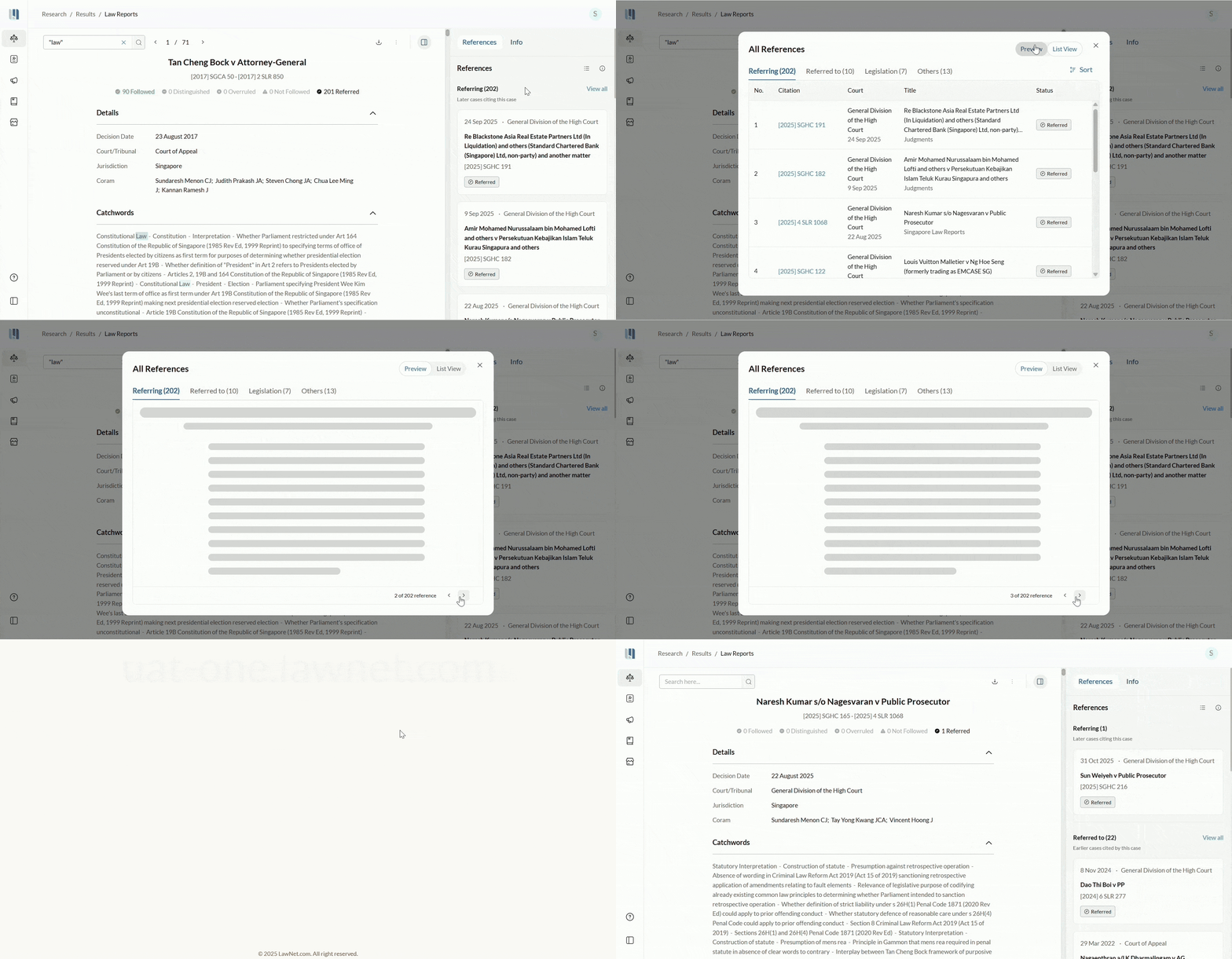
Preview cited cases and related materials
You can now view referenced cases and related resources directly within the Document Details page for uninterrupted reading.
This enhancement currently supports:
- Judgments
- Regulatory decisions
- Journals
- Commentaries
- Notices & directions
Previews for books and legislation are not yet available, but they will continue to appear as listed references.
General Improvements
- Clicking on a title from the results listing page will automatically open the document in a new tab instead of within the same page
- ‘United Kingdom’ and ‘UK’ Jurisdiction options in the main level filters have been merged into one ‘United Kingdom’ option
- When both reported and unreported versions of a judgment exist, only the Singapore Law Reports (SLR) or SLR(R) version will appear.
- Improved search accuracy and relevance through enhanced text matching and refined result ranking, reducing irrelevant partial matches.
- Faster search performance, with searches up to 10x faster than before and 95% of results delivered within 2 seconds.
- Filters on the search results listing now sticks to the top as you scroll so that you can filter your results wherever you are in the page.
- Decisions filter in the search results page is now renamed to “Regulatory Bodies” as it filters by the regulatory bodies that passes the decisions.
- Clicking on the case reference card on the document details’ reference panel will now open the case preview within the same screen.
- “View all” button from the reference panel now expands the cases in list view directly instead of expanding more cards in the panel.
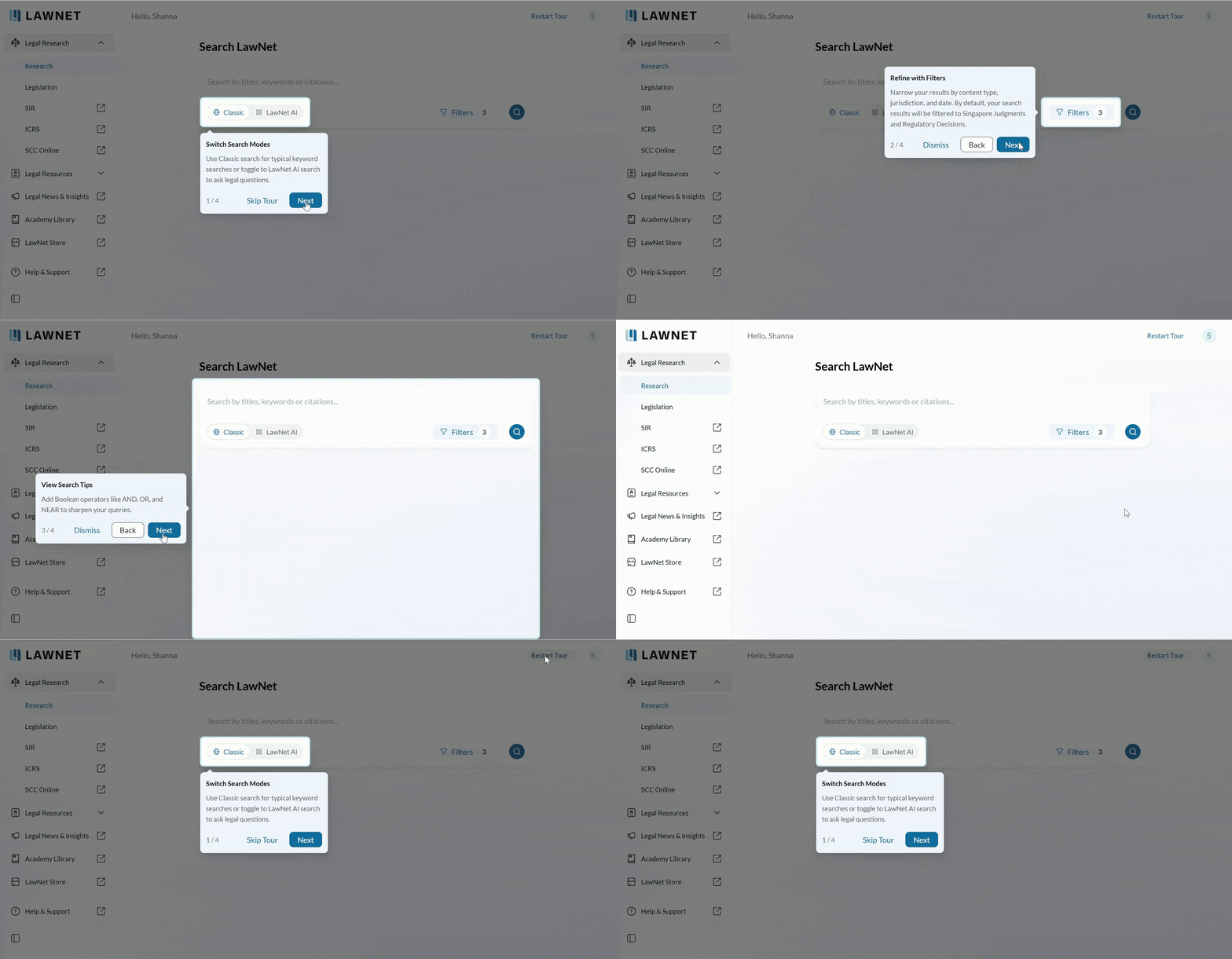
- Guided pop-ups will help you familarise with the new LawNet interface. Existing users can restart the onboarding tour anytime by selecting “Restart Tour” from the top-right header.
Feedback & Support
We are constantly working to enhance LawNet. If you encounter issues or would like to share feedback, please contact us at [email protected].
Version: LawNet 4.0.1 (11 Dec 2025)